
Tax Exempt
Setting up a tax-exempt account with Klingspor's Woodworking Shop is now a quick, fully self-service process. Just follow the steps below and you'll be checking out tax-free in a few minutes.
- Sign In or Create Your Account
Head over to create your account, or log in if you already have one. You'll need to be signed in to add or manage exemption certificates.
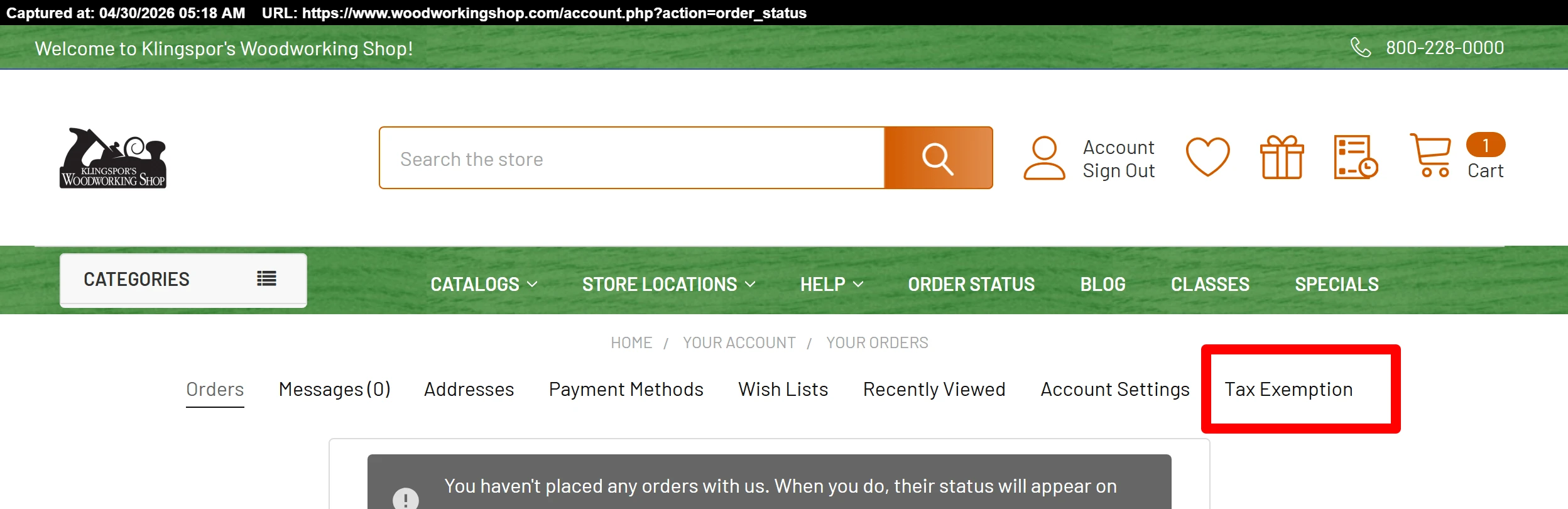
- Open the Tax Exemption Tab
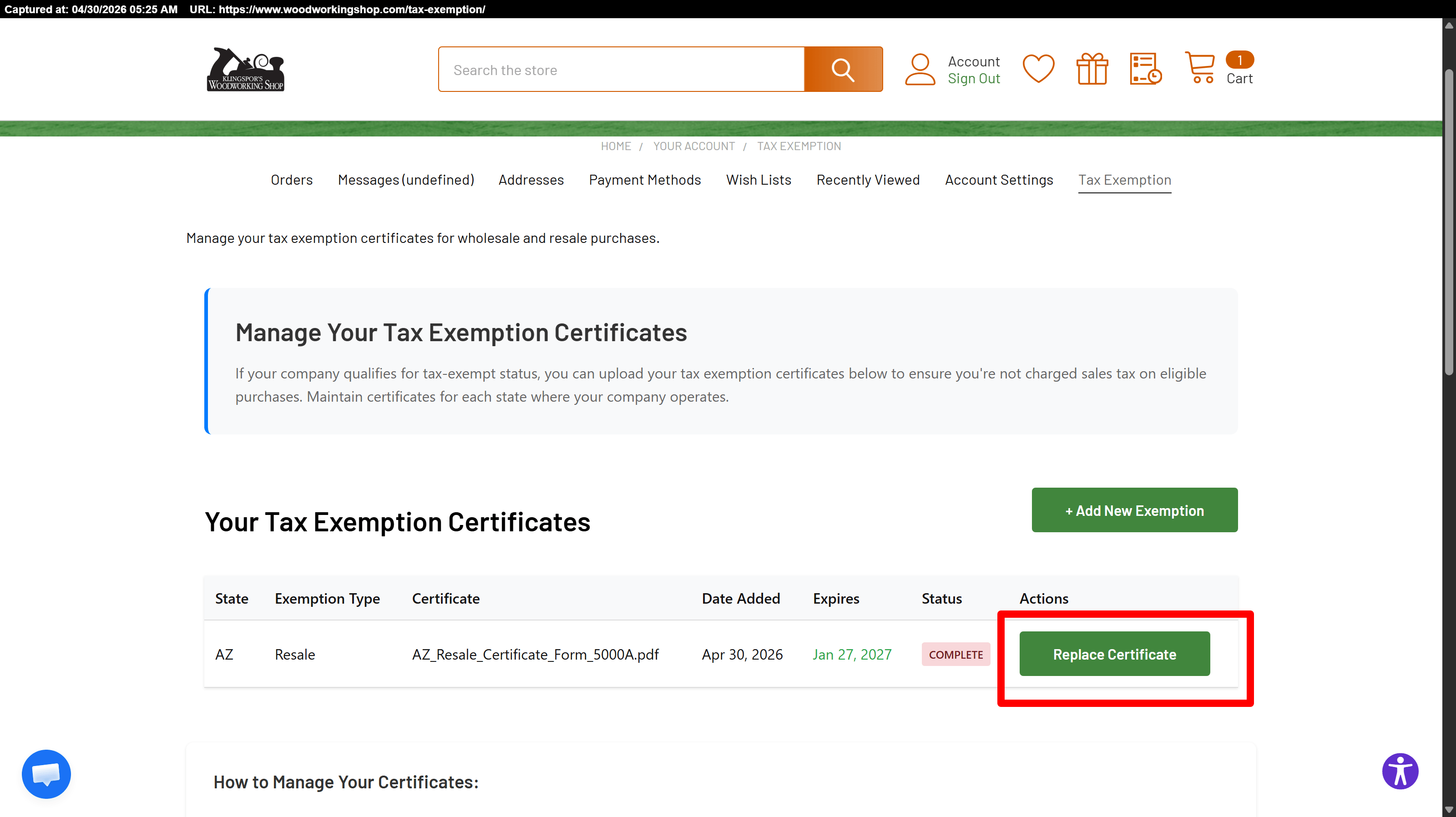
Inside your account dashboard, click the Tax Exemption tab.
- Upload Your Exemption Certificate
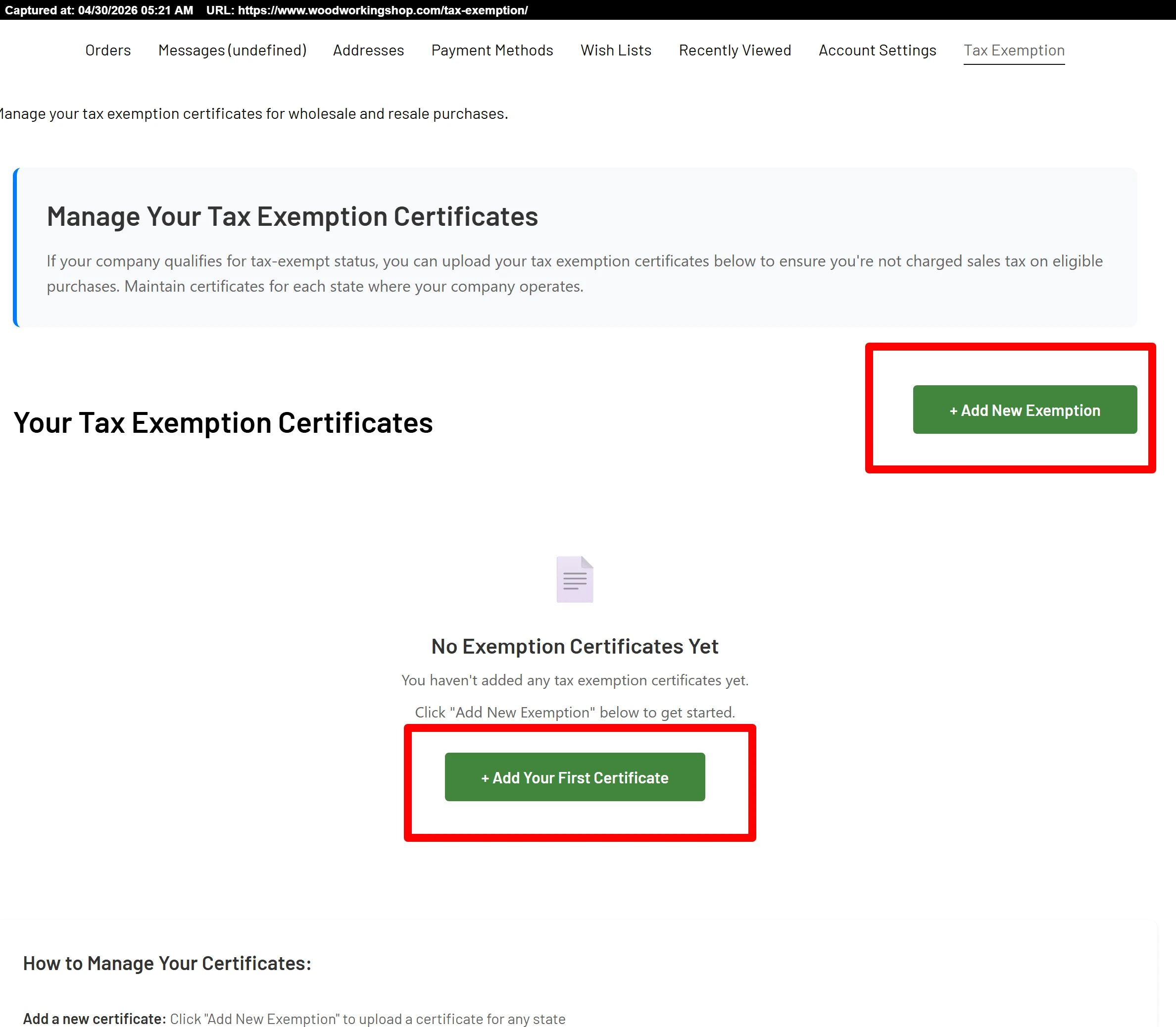
- Click + Add New Exemption.
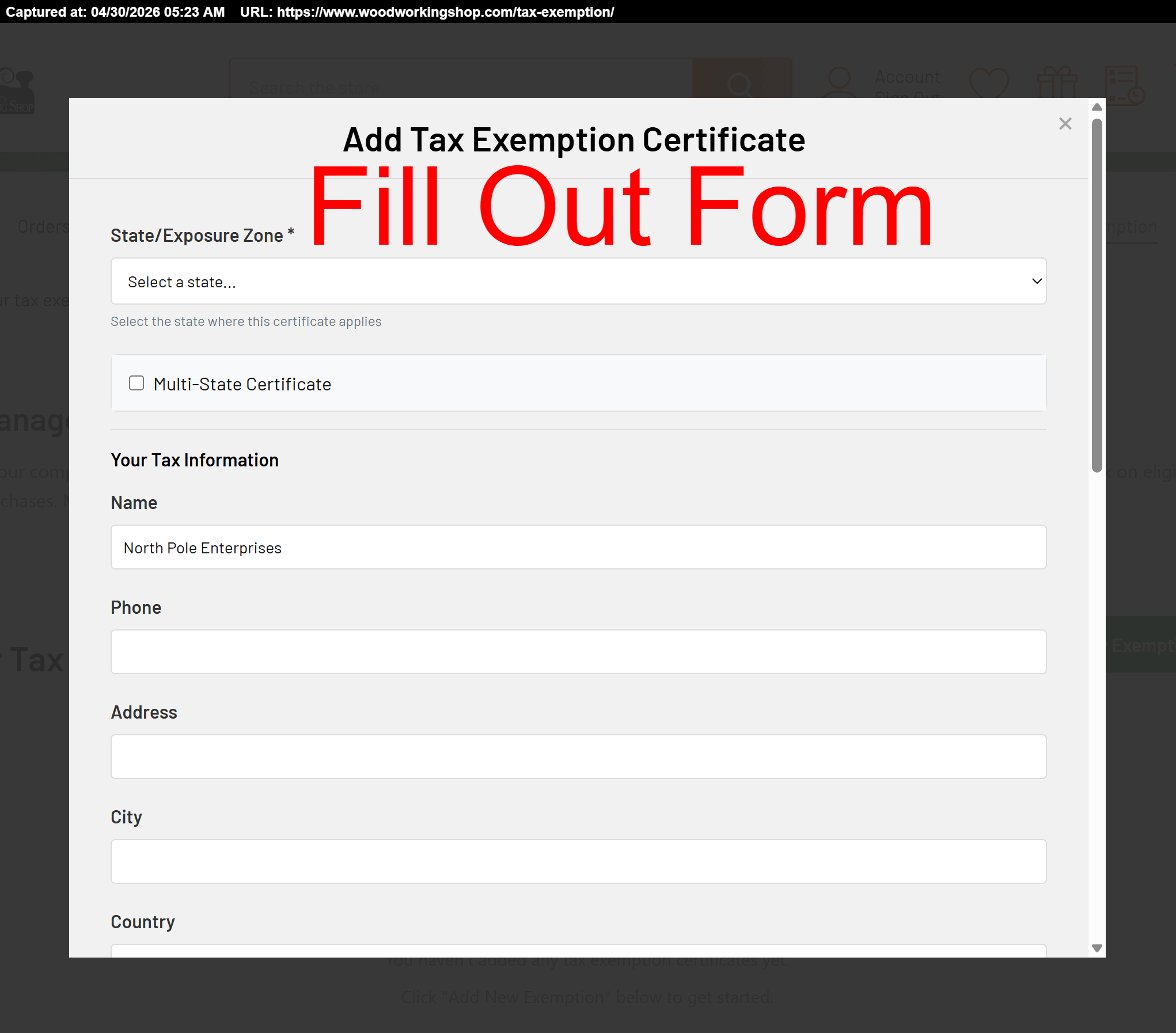
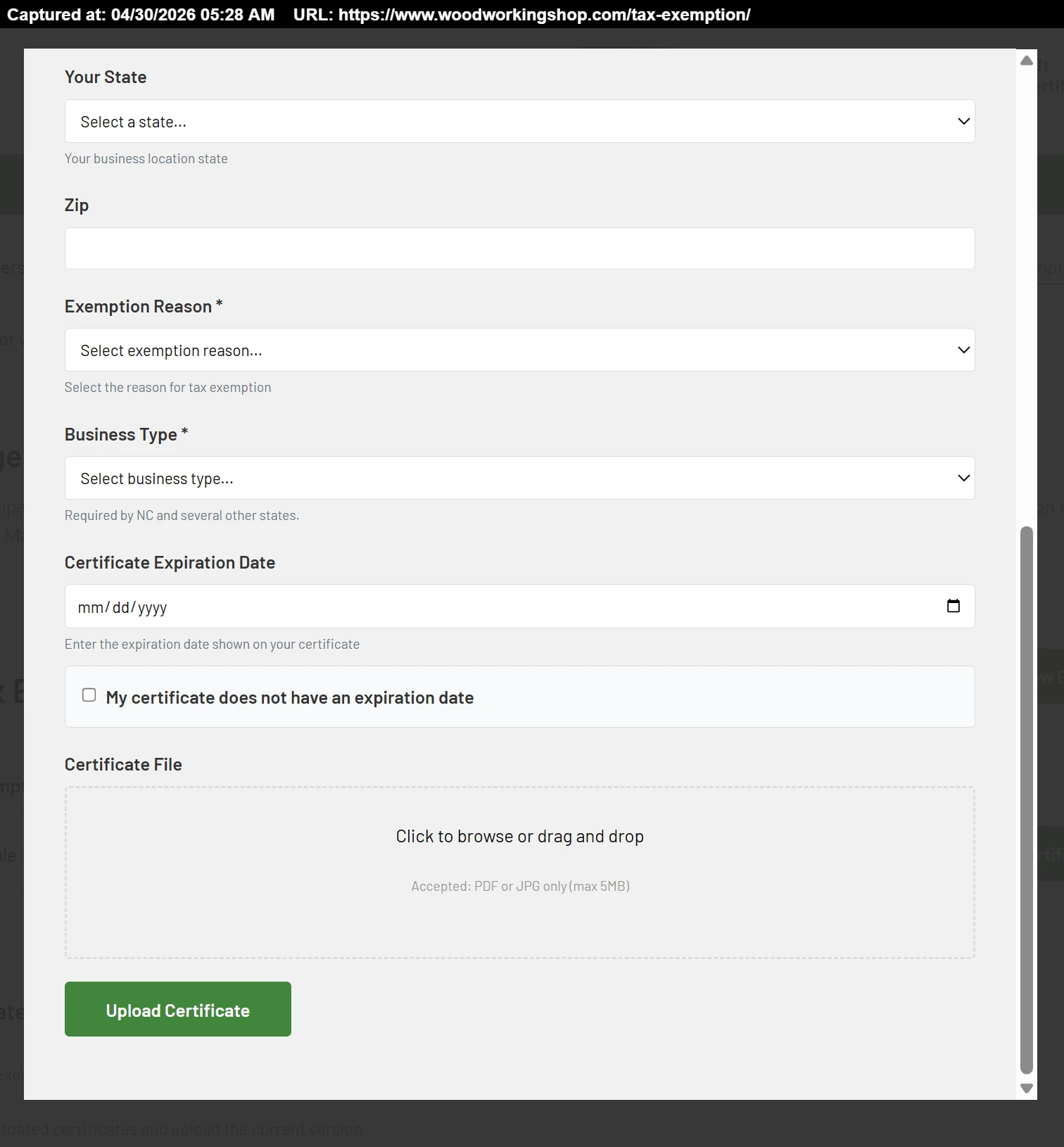
- Attach a current exemption certificate or reseller permit for each state you'd like covered.
- You can add as many certificates as needed — one per state, or several if you do business under different categories.
- Instant Approval at Checkout
- Your exemption applies to checkout right away — no waiting period.
- Our team reviews every certificate after upload and will only reach out if something needs to be corrected.
- Once approved, your tax-exempt status stays active until the certificate expires or paperwork issues come up.
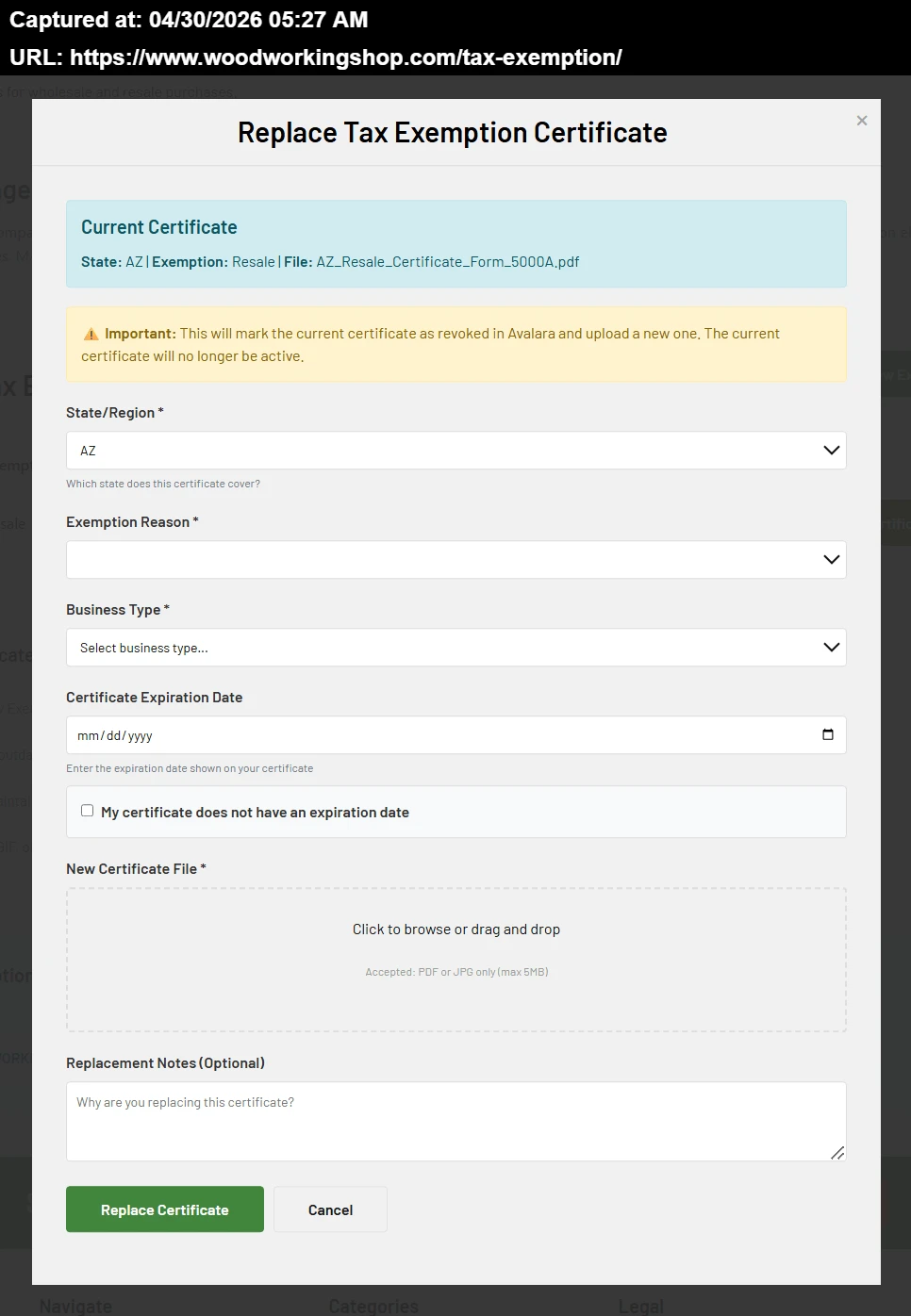
- Update or Add Certificates Anytime
Need to swap out a certificate that's about to expire, or add coverage for a new state? Just open the Tax Exemption tab again whenever you'd like to make changes.
Sales Tax Refunds on Export Orders
If your order is shipping outside the United States, we'll need a bill of lading or other export documentation showing the goods have left the country before we can issue a sales-tax refund. This applies to all export shipments — the only exception is when you hold a valid sales-tax exemption in the state where your freight forwarder is located (Florida is the most common example). Email your export paperwork to taxexemptions@woodworkingshop.com or or call us at 1-800-228-0000 to request the refund.
A Few Things to Keep in Mind
- Your account needs to be logged in at checkout for the exemption to apply automatically.
- If you run into trouble uploading paperwork — or if you have any other exemption-related questions — email us at taxexemptions@woodworkingshop.com and we'll get back to you.
Need a hand? Our customer service team is happy to walk through the upload process with you. Reach out anytime at taxexemptions@woodworkingshop.com.